Tutarium guide
Set up your author profile page
Publish a polished `/a` profile with your bio, books, featured title, and primary reader links.
Why this matters
Your author profile is the public hub for readers who discover you before they know which book to buy. It keeps your books, newsletter, website, Amazon author page, and social links together in a page that still feels book-focused.
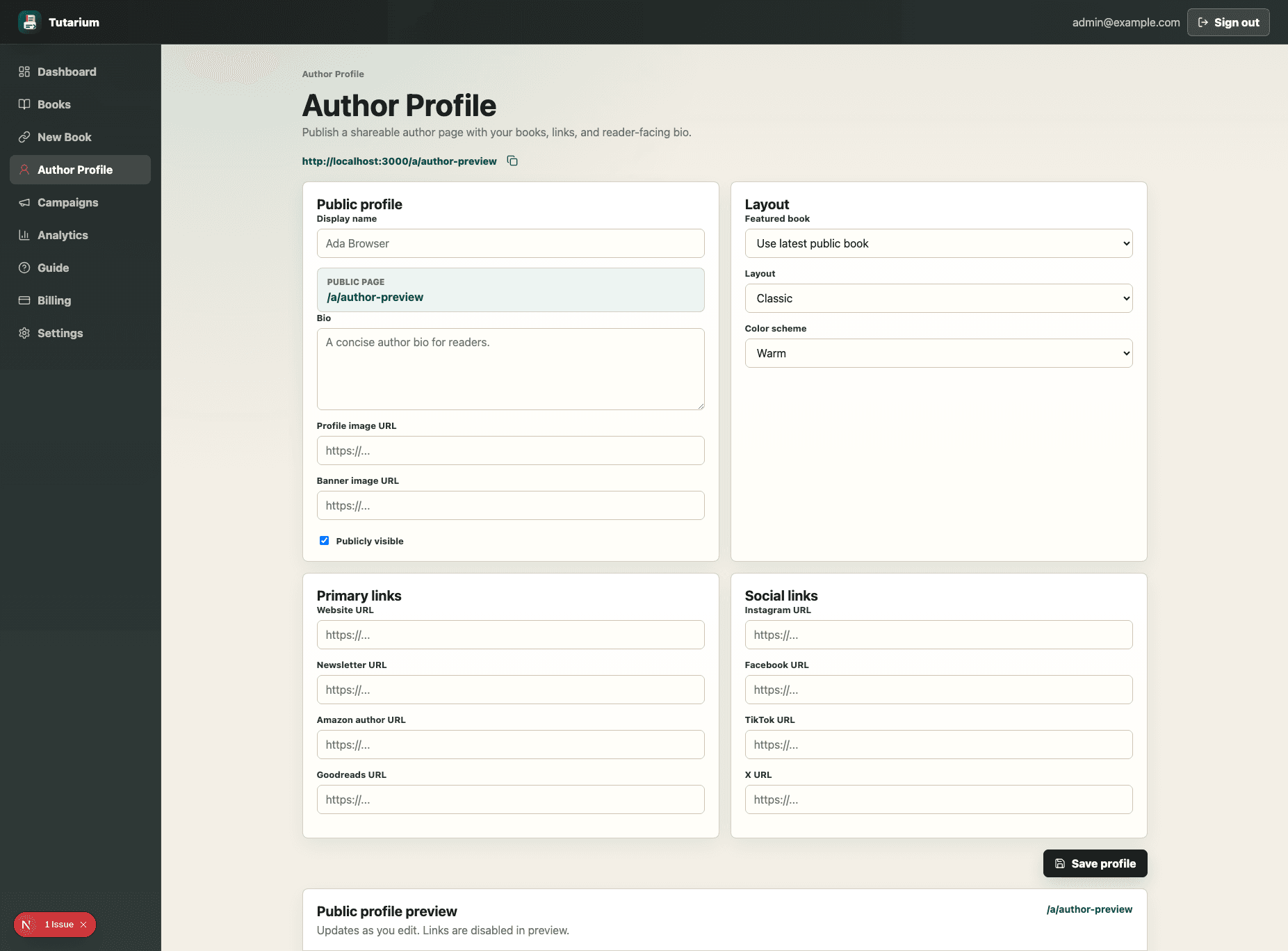
Add your public identity
Set the display name, bio, profile image, and optional banner image. The public slug preview updates from your display name.
Choose the featured book and layout
Pick a featured book when one should lead the profile, then choose a layout and colour scheme that match your catalog presentation.
Add reader and social links
Use the primary link fields for your website, newsletter, Amazon author page, and Goodreads, then add social profiles where readers already follow you.
Preview, publish, and copy the URL
Keep the profile publicly visible when it is ready, review the embedded preview, then copy the public `/a` link for bios, newsletters, and launch materials.