Tutarium guide

Edit a book and keep its public page current

Update book details, sales copy, social proof, series information, and sharing metadata with a live preview beside your changes.

Why this matters

Your public link stays the same while the book page improves. That means you can correct details or sharpen the sales story without replacing links already used in newsletters, QR codes, or social posts.

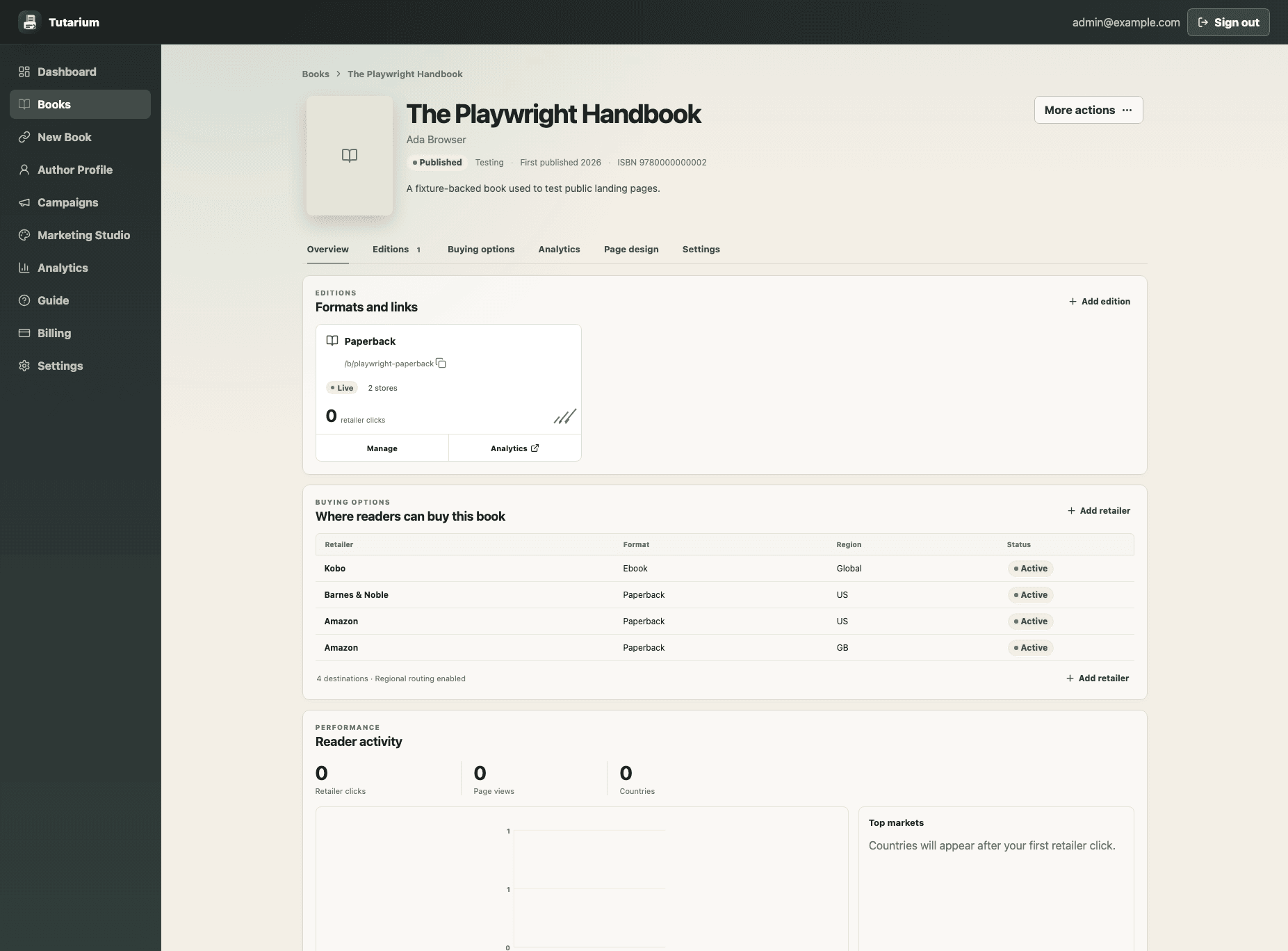
Tutarium book workspace showing the public URL, editions, buying options, reader activity, and page design actions.
01

Open the book workspace

Choose Books, then select the title you want to update. This workspace is the home for its public URL, editions, buying options, performance, campaigns, and page design.

02

Choose Edit book

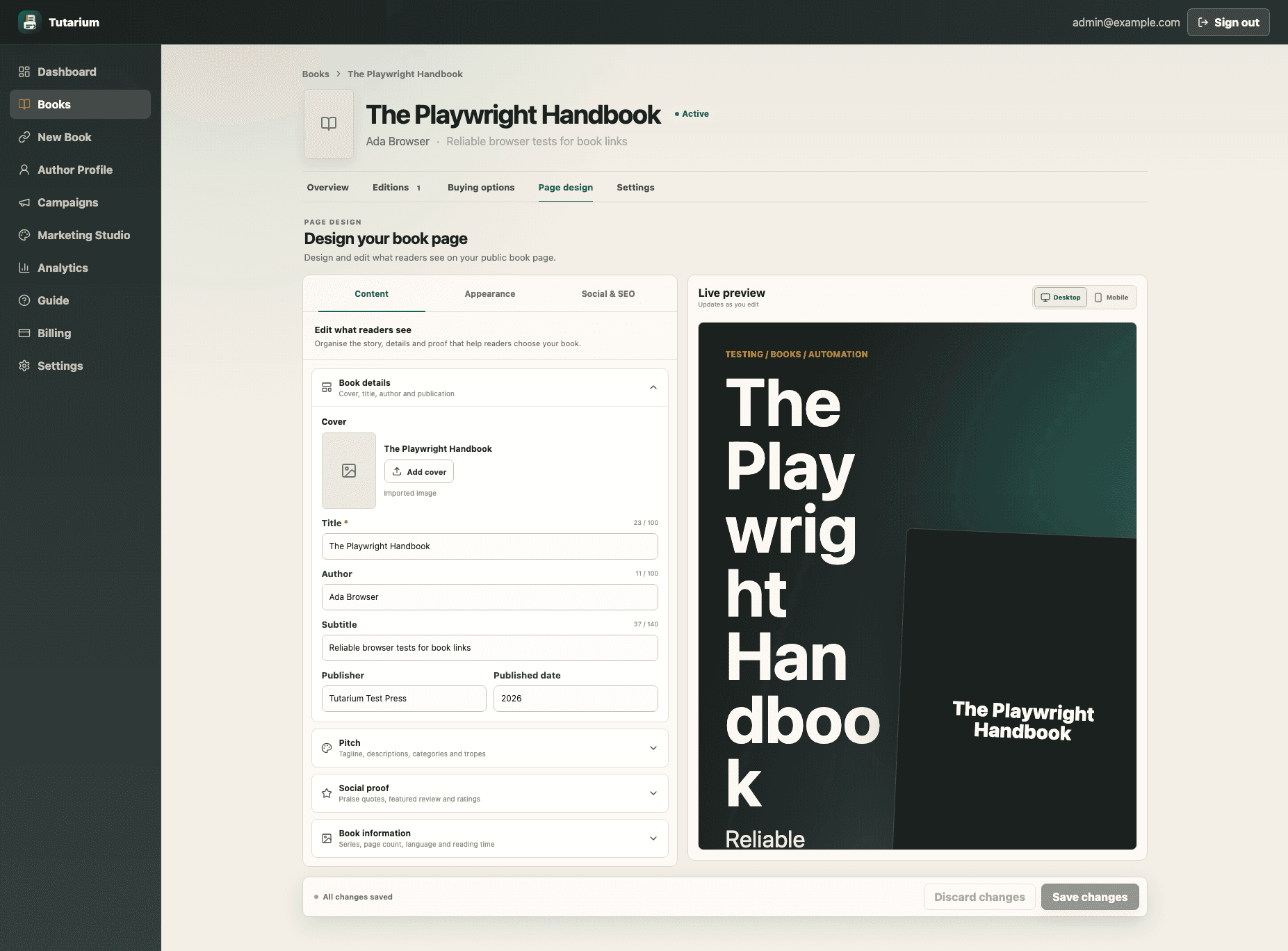
Use More actions, then Edit book. The editor separates Content, Appearance, and Social & SEO so you can concentrate on one kind of change at a time.

Tutarium book editor with grouped content fields and a live reader-facing preview.
03

Update only the sections that help

Book details covers the title, author, cover, and publication data. Pitch contains the tagline and descriptions. Social proof holds praise and ratings. Book information is for series order, length, language, and reading time. Optional sections can stay empty.

04

Check the live preview

Review the reader-facing preview as you edit. On a phone, switch between Edit and Preview. The preview is safe: it does not record page views, clicks, or other analytics.

05

Save and check the public page

Save changes when the preview looks right, then use View page from the book workspace for a final check. The existing `/b` URL continues to work.

Edit a book and keep its public page current | Tutarium Guide | Tutarium