Prefer one main buying action when useful
Open Advanced while adding an option to prefer it for the main buy button. Other active choices remain available, so readers can still select their format or store.
Tutarium guide
Organise Kindle, paperback, hardcover, audiobook, preorder, direct, and wide-retailer destinations without making readers decode a list of raw links.
Why this matters
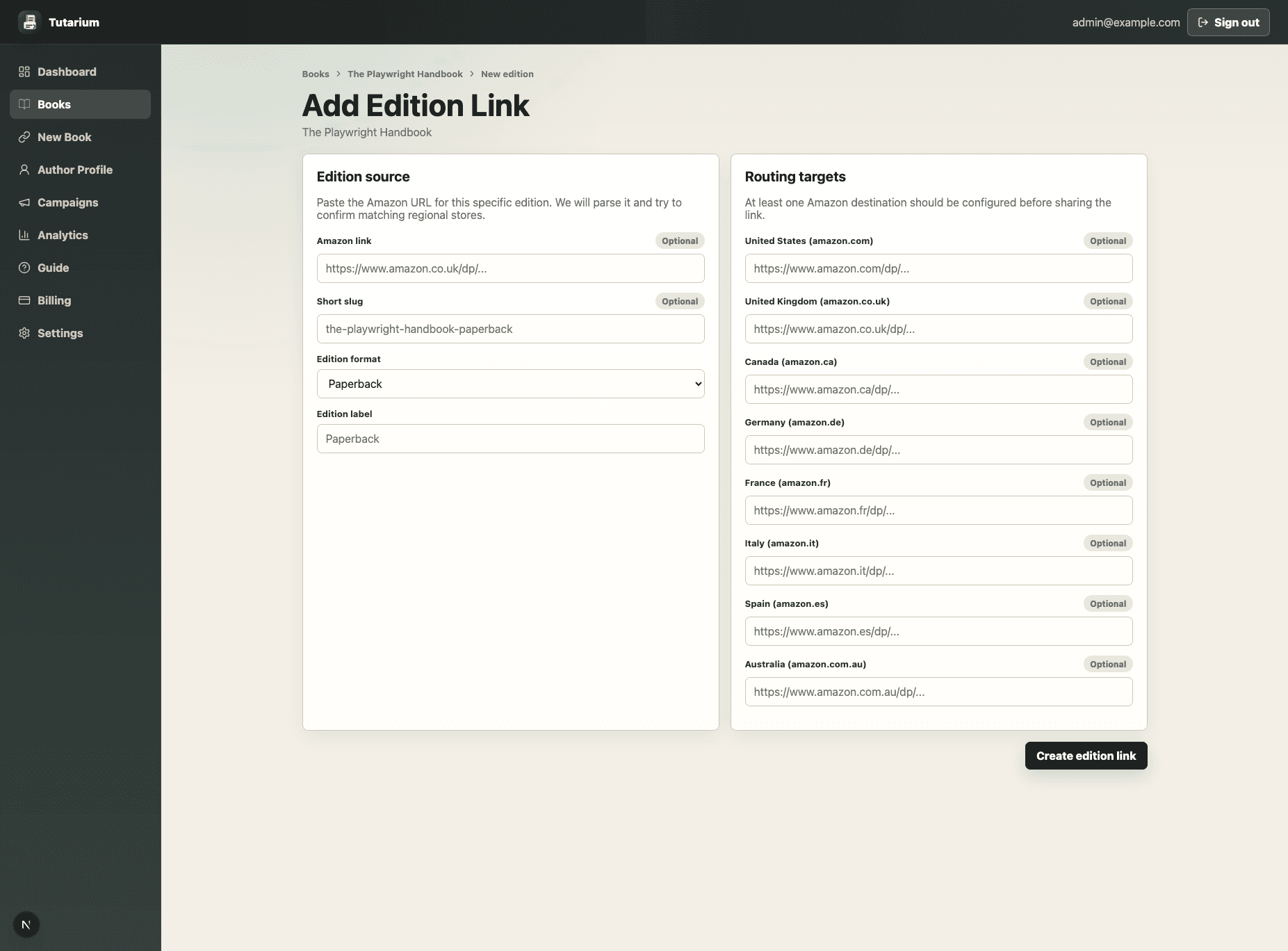
Add an edition when the format needs its own public link or regional route—for example Kindle, paperback, hardcover, or audiobook. Add a retailer directly to the book when it is simply another place to buy, such as Kobo, Apple Books, Bookshop.org, Kickstarter, or your own shop.
Open the book, find Editions, and choose Add edition. Paste the Amazon URL for that format when you have one, confirm the format and reader-facing label, and keep the suggested slug unless you need a specific public URL.
Add only URLs you have verified for the same edition. Tutarium can use configured regional targets for safe redirects; it does not scrape Amazon or invent matching products in another marketplace.
In Buying options, choose Add retailer and paste the destination. Tutarium identifies supported stores and formats when possible. Confirm the edition, region, retailer, and format before saving.
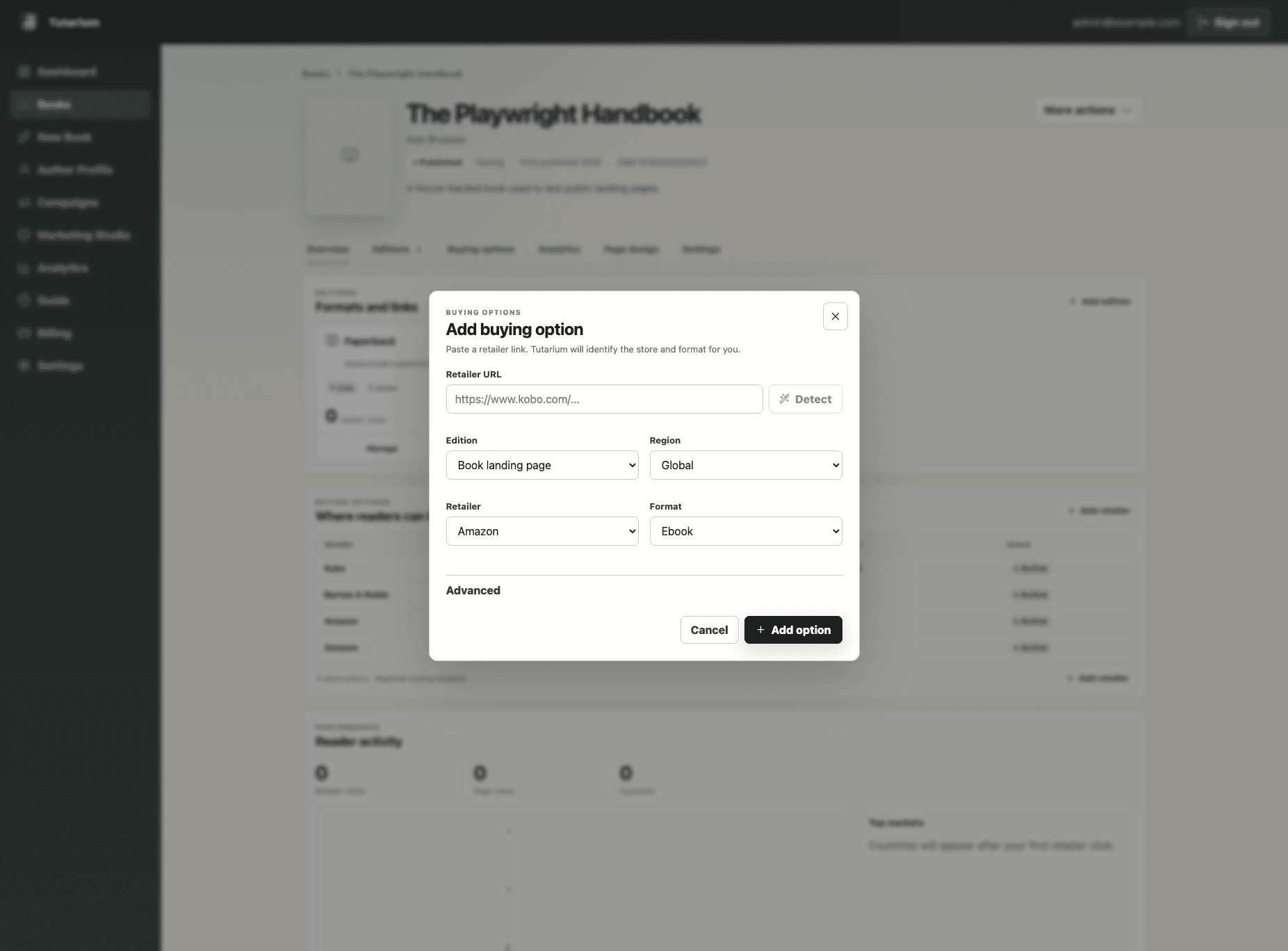
Open Advanced while adding an option to prefer it for the main buy button. Other active choices remain available, so readers can still select their format or store.
Open View page and check the recommended action, format labels, and retailer list. Test the public link without clicking your own outbound links repeatedly if you want to keep analytics clean.